Data Privacy Week serves as an annual reminder that security isn’t just an IT department problem—it’s a company-wide responsibility. While we often think of cyber threats as sophisticated hackers targeting massive corporations, the reality is that small and mid-sized businesses are frequent targets because they often lack robust defenses.
Protecting your organization requires more than just installing antivirus software. It demands a culture shift where every employee understands the value of the information they handle daily. During this awareness week, ThirdCoast IT is focusing on practical, actionable steps you can take immediately to harden your defenses. Here are five essential ways to secure your business data and build a resilient privacy strategy.
1. Conduct a Thorough Data Inventory
You cannot protect what you don’t know exists. Many organizations struggle with “data sprawl”—information saved in random folders, old email archives, or unauthorized cloud storage accounts.
Start by mapping out exactly where your business data lives.
Identify Data Sources
Look beyond the obvious servers. Check company mobile devices, remote employee laptops, third-party applications, and even physical filing cabinets.
Classify Sensitivity
Not all data is created equal. Categorize your information based on sensitivity. Customer credit card numbers and employee social security numbers require a higher level of encryption and access control than your cafeteria lunch menu. Knowing the difference helps you allocate resources effectively.
Delete What You Don’t Need
Data minimization is a key principle of privacy. If you are holding onto client records from ten years ago that serve no legal or business purpose, you are holding onto a liability. Securely deleting old files reduces your attack surface.
2. Implement Strong Access Controls
The principle of “least privilege” is your best friend when it comes to securing business data. This concept suggests that employees should only have access to the files and systems necessary to do their specific jobs—nothing more.
Review User Permissions
Audit your current user list. Does the marketing intern need access to the financial database? Probably not. Revoking unnecessary privileges minimizes the damage if an employee’s account is compromised.
Enable Multi-Factor Authentication (MFA)
Passwords alone are no longer sufficient. MFA adds a critical layer of defense by requiring a second form of verification, such as a code sent to a mobile phone. Enabling MFA across all company accounts significantly reduces the risk of unauthorized access.
3. prioritize Employee Training and Awareness
Your employees are your first line of defense, but they can also be your biggest vulnerability if they aren’t properly trained. Human error accounts for a significant portion of data breaches.
Spotting Phishing Attempts
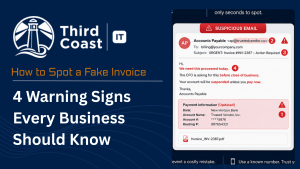
Train your team to recognize the signs of phishing emails. These often include urgent requests for sensitive information, suspicious links, or mismatched sender addresses. Regular simulations can help keep staff alert.
Safe Remote Work Practices
With hybrid work becoming the norm, ensuring that employees know how to handle business data outside the office is crucial. This includes using secure Wi-Fi networks (avoiding public coffee shop Wi-Fi without a VPN) and keeping physical devices secure from theft.
4. Establish a Robust Backup and Recovery Plan
Ransomware attacks are on the rise, where attackers lock up your systems and demand payment for the decryption key. The only guarantee against losing your data permanently—or having to pay a ransom—is a solid backup strategy.
Follow the 3-2-1 Rule
A standard industry best practice is the 3-2-1 rule:
- Keep 3 copies of your data.
- Store them on 2 different types of media (e.g., local server and cloud).
- Keep 1 copy offsite.
Test Your Backups
Backing up is only half the battle. You must regularly test your recovery process to ensure that if a disaster strikes, you can actually restore your business data quickly and with minimal downtime.
5. Regularly Update and Patch Systems
Software vulnerabilities are open doors for cybercriminals. Developers frequently release updates and patches to fix these security holes, but they only work if you install them.
Automate Updates
Whenever possible, set your operating systems, antivirus software, and third-party applications to update automatically. This removes the reliance on memory and ensures you are protected against the latest known threats.
Don’t Forget Firmware
It’s easy to overlook hardware like routers, printers, and firewalls. These devices also run software (firmware) that needs updating to prevent attackers from using them as entry points into your network.
Keeping Your Business Data Safe
Data Privacy Week is the perfect catalyst for reviewing and strengthening your security posture. By taking these five steps—auditing your data, controlling access, training staff, backing up files, and patching systems—you actively reduce the risk of a breach.
At ThirdCoast IT, we understand that managing business data can feel overwhelming. Security is a journey, not a destination, and taking proactive steps today will save you significant headaches tomorrow.
FREQUENTLY ASKED QUESTIONS
Why is protecting business data important for small businesses?
Small businesses are often targeted because cybercriminals perceive them as having weaker security measures than large enterprises. A breach can lead to significant financial loss, legal penalties, and irreparable damage to your reputation and customer trust.
How often should we conduct employee data privacy training?
Training should not be a one-time event. We recommend conducting formal training at least annually, supplemented by quarterly refreshers or newsletters to keep security top-of-mind and address new emerging threats.
What is the first step we should take if we suspect a data breach?
Immediately disconnect affected devices from the network to prevent the spread of the threat. Then, contact your IT support provider or incident response team immediately. Do not turn off the machine unless instructed, as this might destroy evidence needed for investigation.